Standard Banner
Here you can find all the information you need when developing a standard creative.
IMPORTANT!
Model
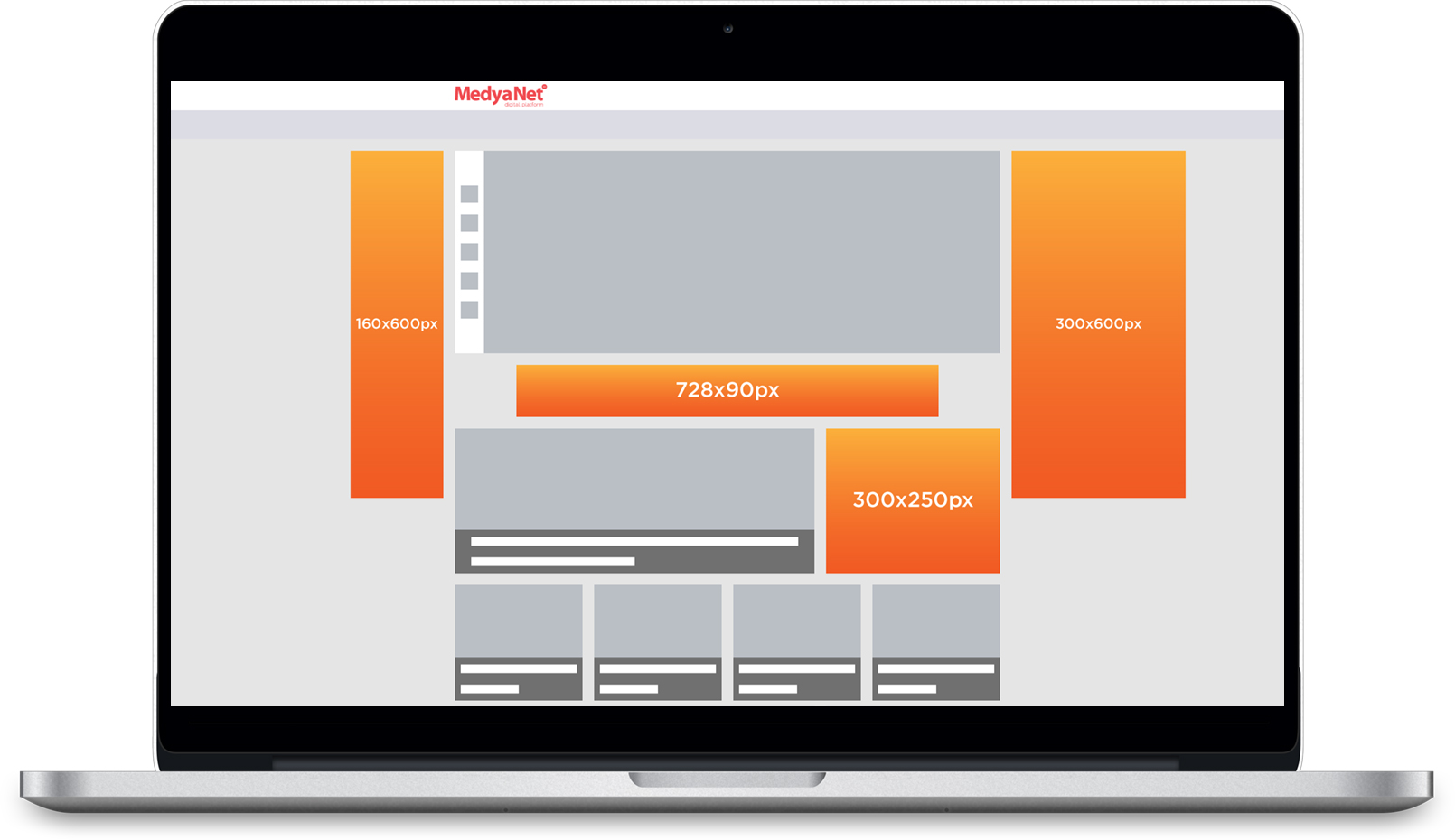
Creative Types
Type | Description | Limitations |
|---|---|---|
Image | File Type | JPG, GIF, PNG |
Recommended Sizes | 120x600 & 160x600 & 300x250 & 300x600 & 728x90 | |
File Size | Must not exceed 150 KB. | |
HTML | Recommended Sizes | 120x600 & 160x600 & 300x250 & 300x600 & 728x90 |
File Size | Must not exceed 150 KB. | |
Notes | For Sizmek script/iframe coded standard banners, the %%CLICK_URL_UNESC%% click parameter must be added, and the target site must be selected before delivering the codes with the site’s pre-settings. |
ClickTAG
For creatives to be trackable by the adserver, the Google AdManager clickTAG parameter must be implemented correctly. The easiest way is shown below.
Example of a click tag embedded in an HTML document:
<head>
<meta name="ad.size" content="width=970,height=250">
<script type="text/javascript">
var clickTag = "http://www.google.com";
</script>
</head> [Reklam öğesi kodunuzun geri kalanı buraya eklenir.]
In the ad example, the clickTAG variable should be used as the click-through URL:
<body>
<a href="javascript:window.open(window.clickTag)">
<img src="images/dclk.png" border=0> </a>
</body>Notes
1. If the banner to be used is static, each creative must be provided separately in
sizes 120×600 // 160×600 // 300×250 // 300×600 // 728×90 px, with a
maximum of 150KB in jpg/png format.
2. For static web and AppStandard banners, the recommended sizes are 320×50 and 300×250 px in jpeg, png, or gif format with a maximum of 70KB